TECH TIDBITS:
A technology blog supporting the SAU16 staff.
SAU 16 Technical Support Assistant
TECH TIDBITS:
SAU 16 Technical Support Assistant
TECH TIDBITS:
TECH TIDBITS:
TECH TIDBITS:
A technology blog supporting the SAU16 staff.
I have eagerly awaited the opportunity to share information with you about Artificial Intelligence (AI) through a digital tool that is covered by a signed Data Privacy Agreement (DPA). That day has arrived! SAU16 has officially signed a DPA for a tool known as SchoolAI. My purpose is to use the upcoming Tech Tidbits to introduce you to the fundamentals of AI, considerations to keep in mind, and ways you can leverage AI in your role.
While I am thrilled about the potential of Artificial Intelligence and its ability to support teaching and learning, I am also mindful of the crucial issue of data privacy (please refer back to my last blog post, "Revisiting Student Data Privacy (NH RSA 189:66-68A)"). I acknowledge the existence of numerous workshops, YouTube video tutorials, and peers utilizing a variety of AI tools, all of which can be enticing to explore. However, it is essential to be vigilant about student data privacy when using these tools. Ask yourself, "does this tool have a signed Data Privacy Agreement (DPA)"?
Having invested many hours in exploring new AI tools, testing their capabilities, and evaluating the pros and cons, I am genuinely fascinated by AI. I recognize and commend the efforts of teacher pioneers who have embraced AI in various schools, actively contributing to the integration of new technology. Before we delve into the world of AI, it's worth mentioning that SAU16 is in the process of drafting guidelines for teachers as we progress further into the integration of AI in classrooms.
What is Artificial Intelligence?
I found it pertinent to seek assistance from SchoolAI in addressing this question. Upon opening the SchoolAI application, I navigated to the "Tools" section and chose "Build your own." Within the "instructions" field, I entered the request, "Please explain artificial intelligence in common language," and subsequently selected "generate." The resulting explanation crafted by SchoolAI is as follows: Understanding Artificial Intelligence.
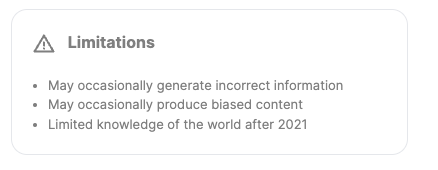
It is crucial to exercise caution when utilizing AI tools. A "Limitations" warning is visibly present at the bottom of the tool I employed. It is advisable to verify information for accuracy, be mindful of potential biases in content, and recognize that machine learning has a limited knowledge base beyond 2021.
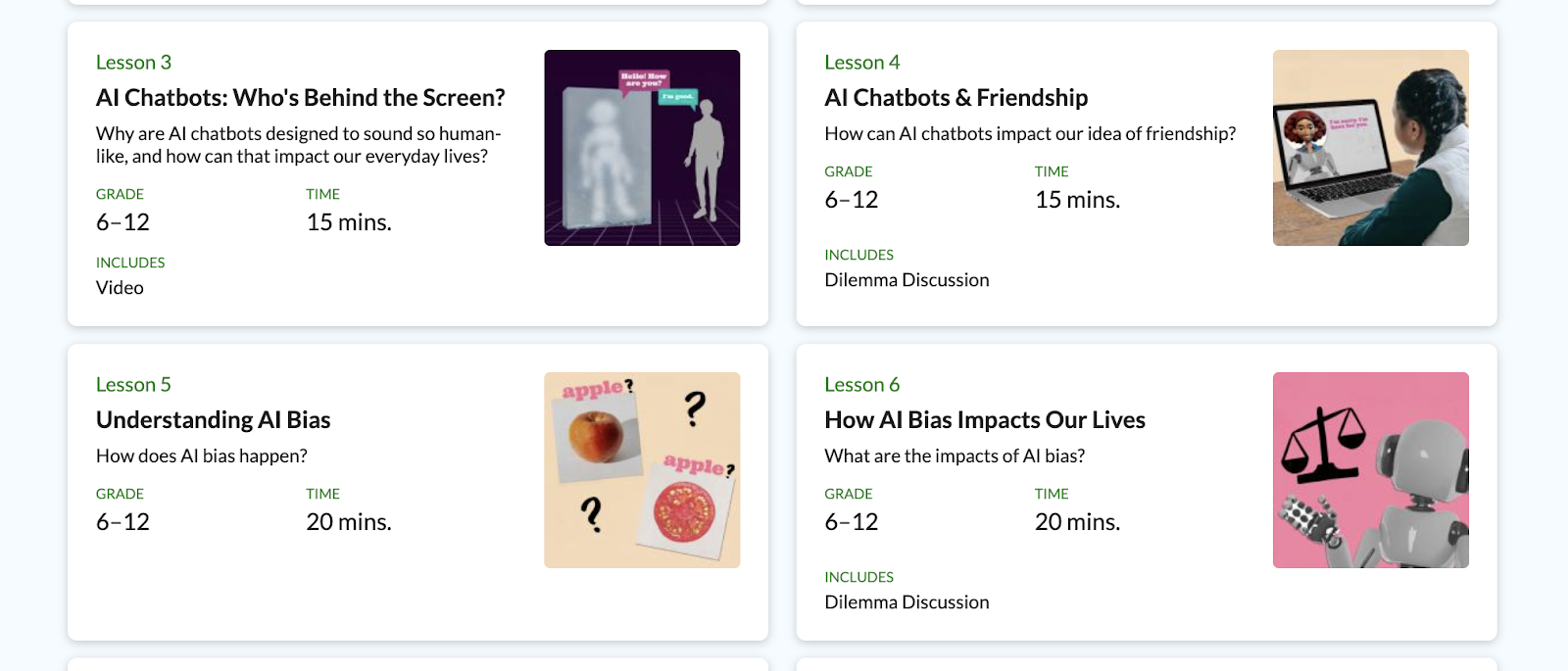
Additionally, Common Sense Education has developed a series of AI Literacy Lesson Plans tailored for Grades 6-12. These lessons serve as valuable resources for enhancing your own understanding of AI or can be integrated into your lessons to help students comprehend AI concepts and consider potential biases in AI.
How can AI be used in the Classroom?
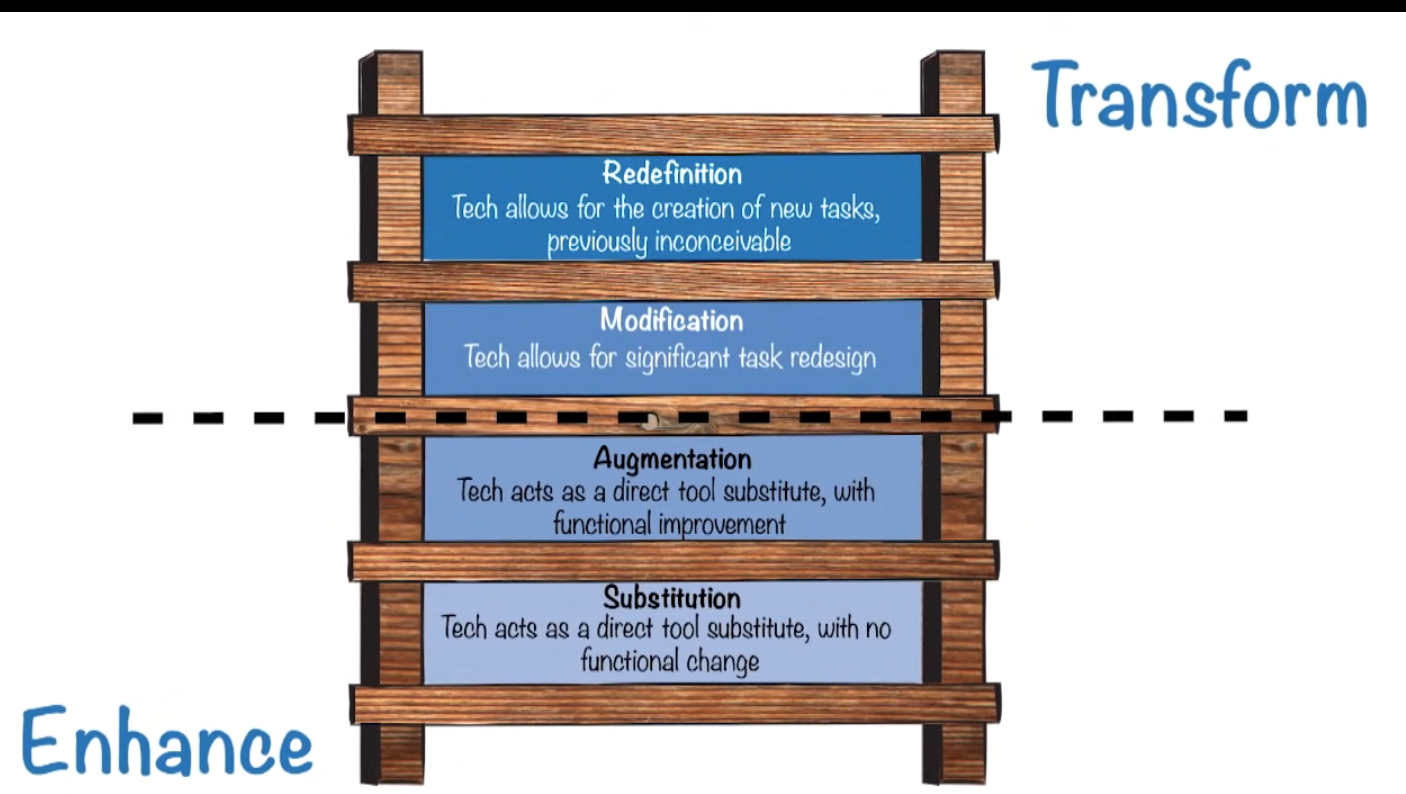
To comprehend the potential applications of AI in your classroom, I'd like to revisit the SAMR model for those familiar with it. Developed by Dr. Puentedura in 2010, the SAMR model offers an understandable framework for contemplating technology integration and its intended objectives. The ultimate aim is to strive for advancements "above the line" and leverage AI to transform the learning experience in your classroom.
I recommend watching the video titled "What is the SAMR Model?" and reviewing the accompanying diagram created by Common Sense Education to gain a comprehensive understanding of the SAMR model. This visual aid and explanatory resource will facilitate your grasp of how AI aligns with different levels of technology integration in education.
SchoolAI- Let's get started! - Click to view directions on SchoolAI "Spaces"
TUESDAY TECH TIDBITS:
A technology blog supporting the SAU16 staff.
Our district is obligated to safeguard students' personally identifiable information (PII). This protection involves verifying that websites, applications, and extensions used in schools adhere to the guidelines outlined in the New Hampshire Student Data Privacy Agreement (DPA). The Student Data Privacy Consortium (SDPC) aids school districts by working with companies, facilitating the signing of the DPA, and maintaining a record of applications that have either signed the DPA, been rejected, or have amendments to their approval.
(a) and is descriptive of a student or otherwise identifies a student, including, but not limited to, information in the student's educational record or email, first and last name, home address, date of birth, telephone number, unique pupil identifier, social security number, financial or insurance account numbers, email address, other information that allows physical or online contact, discipline records, test results, special education data, juvenile dependency records, grades, evaluations, criminal records, medical records, health records, biometric information, disabilities, socioeconomic information, food purchases, political affiliations, religious information, text messages, documents, other student identifiers, search activity, photos, voice recordings, or geo-location information."
How does a SAU16 staff member know if they can use an application or not with students?
If staff wish to utilize an application with students, it is imperative that they verify whether the application involves the use of student personally identifiable information (PII) and confirm that the application has a signed data privacy agreement in place.
To view current applications and the status for SAU16, you can start by looking at;
SAU16 DPA Status - From the Student Data Privacy Consortium
TUESDAY TECH TIDBITS:
A technology blog supporting the SAU16 staff.
What?
| Device Type | Where can you save data? | Is the data BACKED up? |
| Chromebook | • Hard Drive- Downloads (Files Folder) | NO |
| • Google Drive | YES | |
| • Other online storage options | YES | |
| MacBook | • Hard drive (Desktop, Downloads, Documents) | NO |
| • Google Drive | YES | |
| • One Drive (Microsoft) | YES | |
| • Drive for Mac | YES | |
| • Other online storage (DropBox, etc.) | YES | |
| PC | • Hard drive (H: Drive - Home Folder) | YES |
| • Google Drive | YES | |
| • One Drive (Microsoft) | YES | |
| • Other online storage | YES | |
| • Drive for Mac/PC | YES | |
TUESDAY TECH TIDBITS:
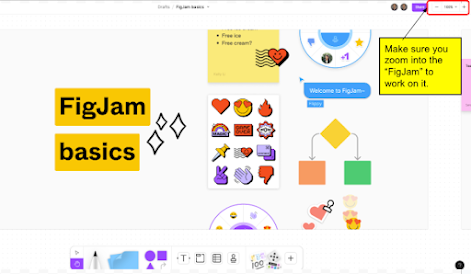
Goodbye, Google JamBoard- Hello FigJam!
TUESDAY TECH TIDBITS:
Today, I'd like to reintroduce you to a valuable tech resource that EHS has licensing for – it's called "Classroom Management by Lightspeed" (formerly known as "Classroom Relay"). This tool plays a crucial role in monitoring students' Chromebooks, ensuring a safe and efficient learning environment. For those of you who are new to EHS or may not have heard of this tool before, it's reminiscent of an older tool we used in the past called "LanSchool." In essence, Relay Classroom operates similarly to LanSchool and offers excellent capabilities for managing our classroom technology.
1. To get started, you can access Classroom Relay by going to https://classroom.lightspeedsystems.app (click to sign in with Google).